
Free printable keyboard finger chart
A color-coded chart that shows which finger presses every key on a US QWERTY keyboard. Print it for your desk, a classroom wall or a homeschool binder. Free, no sign-up.
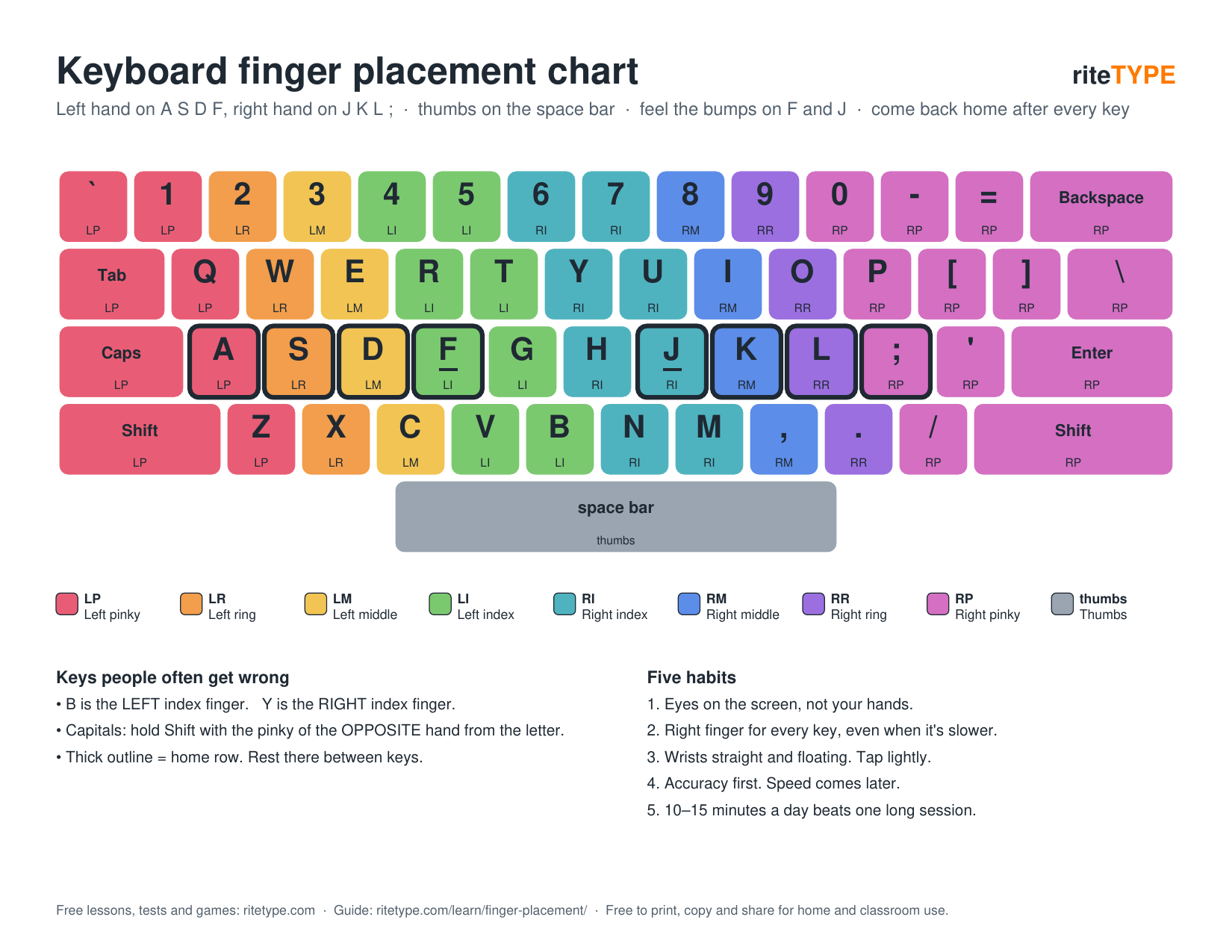
Download the PDF
Teaching at home? Pair the chart with the homeschool typing program.
Prints on one landscape page. Choose "Fit to page" if your printer trims the edges.
How to use the chart
- Start on the home row. Rest your left fingers on A S D F and your right fingers on J K L ;, with your thumbs on the space bar. The colors on the chart match each finger.
- Keep it beside the keyboard, not under it. The goal is to glance at the chart instead of your hands, so your eyes stay up.
- Practice one row at a time. Follow the free typing lessons, which add a few keys at a time in the same order.
- Phase it out. Once you stop checking it, put it away. That means your fingers have learned the keys.
Want the full explanation? Read the keyboard finger placement guide or the guide to the home row keys. Learning later in life? Try typing practice for seniors.
Teachers and parents: free to print
You're welcome to print as many copies as you like for your classroom, school, homeschool group or family, and to share them with students. No sign-up, no fee. Please don't sell the chart or remove the RiteType name. More ideas for the classroom are in how to teach typing.
Share or link to the chart
If the chart helps you, a link back is the best thanks. Copy this snippet into your class page or blog:
<a href="https://ritetype.com/printables/keyboard-finger-chart/">Keyboard finger chart by RiteType</a>